New address, same chat
On the limit it asks WARP for a fresh address, removes OpenCode's free-limit lock and sends continue — usually in about 12 seconds.
v4.1.1 · Windows 10/11 & Linux · free
Zaku Code keeps OpenCode going when the free limit hits. It gets a new address in about 12 seconds, clears the lock and sends continue for you — so the chat you were in just carries on.
What it does
Everything below runs on your computer. Nothing is uploaded, and there is no account to make.
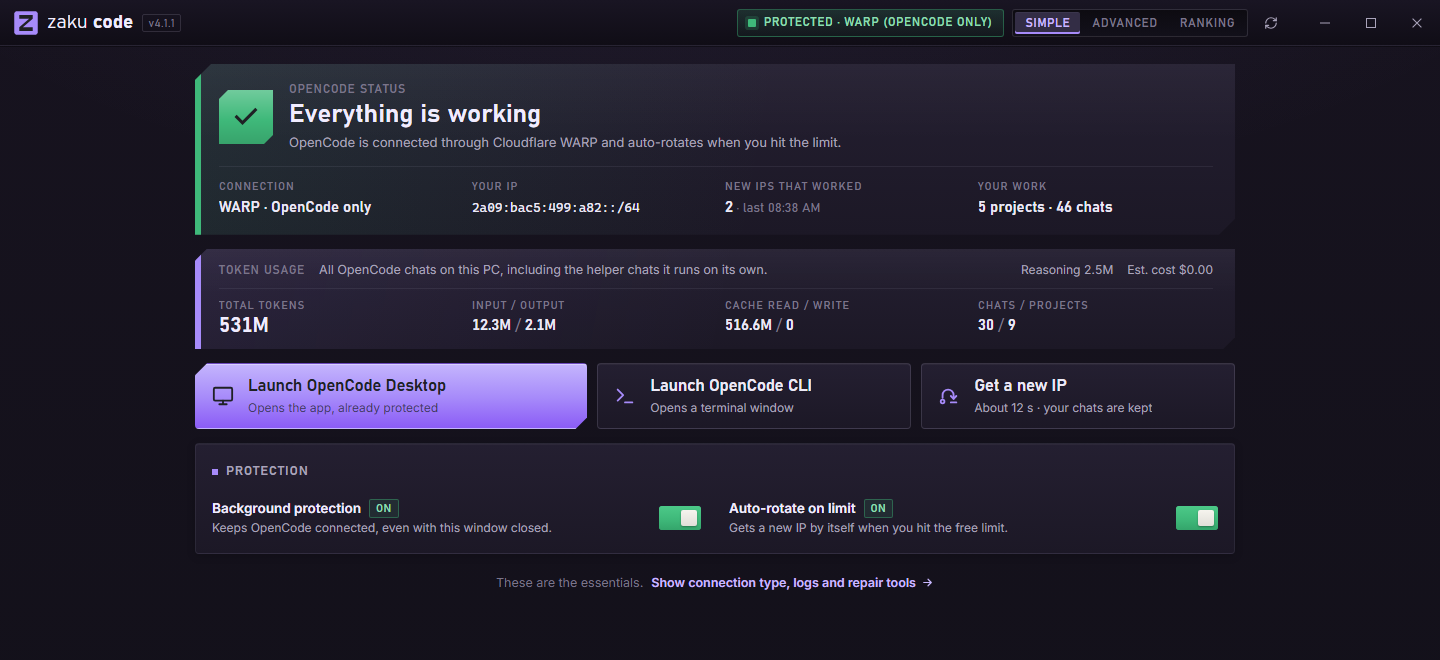
On the limit it asks WARP for a fresh address, removes OpenCode's free-limit lock and sends continue — usually in about 12 seconds.
One button opens OpenCode Desktop through Zaku Code's local proxy. The CLI works the same from any new terminal.
Pick the route: Cloudflare WARP (default), Tor with a new circuit per hop, a pinned clean endpoint, or your own SOCKS5/HTTP pool.
Tokens, cache reads, chats and projects from OpenCode's own database, plus an estimated cost. Local only, never uploaded.
An optional microphone button sits next to OpenCode's send button. Whisper runs on your PC; the speech model is downloaded once.
Paint OpenCode Desktop in your colour, add a background photo and put zaku code on the start screen, with an opacity slider and colour wheels.
Close the window and protection keeps running. Optional start with Windows, and notifications only when something actually changes.
It checks for a new version a few times a day and installs only signed builds whose checksum matches. Turn it off whenever you like.
It reads OpenCode's log and local database to find the limit and check that continue landed. Messages are never read, changed or uploaded.
How it works
Zaku Code points OpenCode at its local proxy on 127.0.0.1:41987 and starts the background helpers. That's the whole setup.
When the free limit appears in OpenCode's log, it switches address, clears the lock and sends continue to the same chat.
Your chat picks up where it stopped. The window shows what happened, and the tray icon stays green while OpenCode is protected.
Download
One .exe, about 20 MB. Works with OpenCode Desktop and the CLI on Windows 10 and 11.
Linux: bash install.sh from the source archive in the Discord.
SHA-256: e4df9bb2…
FAQ
Yes. No account, no subscription, no ads, no payments. Zaku Code is an independent project; the Discord is where updates and help live.
No. It reads OpenCode's log to notice the limit and OpenCode's local database to check that continue arrived (message times, types and errors). Message contents are never read, changed or uploaded.
It sets OpenCode's proxy setting, switches Cloudflare WARP's mode when needed, and patches OpenCode Desktop's app.asar for the free-limit card, the extras and the look. A backup is kept, and Uninstall puts OpenCode back exactly as it was.
It works around OpenCode's free-tier limit by changing address, not by changing your account. It is unofficial and not endorsed by OpenCode or Cloudflare — use it at your own risk and follow the terms of the services you use.
The app is built for Windows 10/11. Linux (desktop, server or VPS) runs the same logic with two systemd services; the install script is in the source archive shared in the Discord.
Only to check for a new version on zakucode.pages.dev and download it if one exists. The update must match Zaku Code's release signature and checksum. Nothing about you or your usage is sent.